Voice Effects
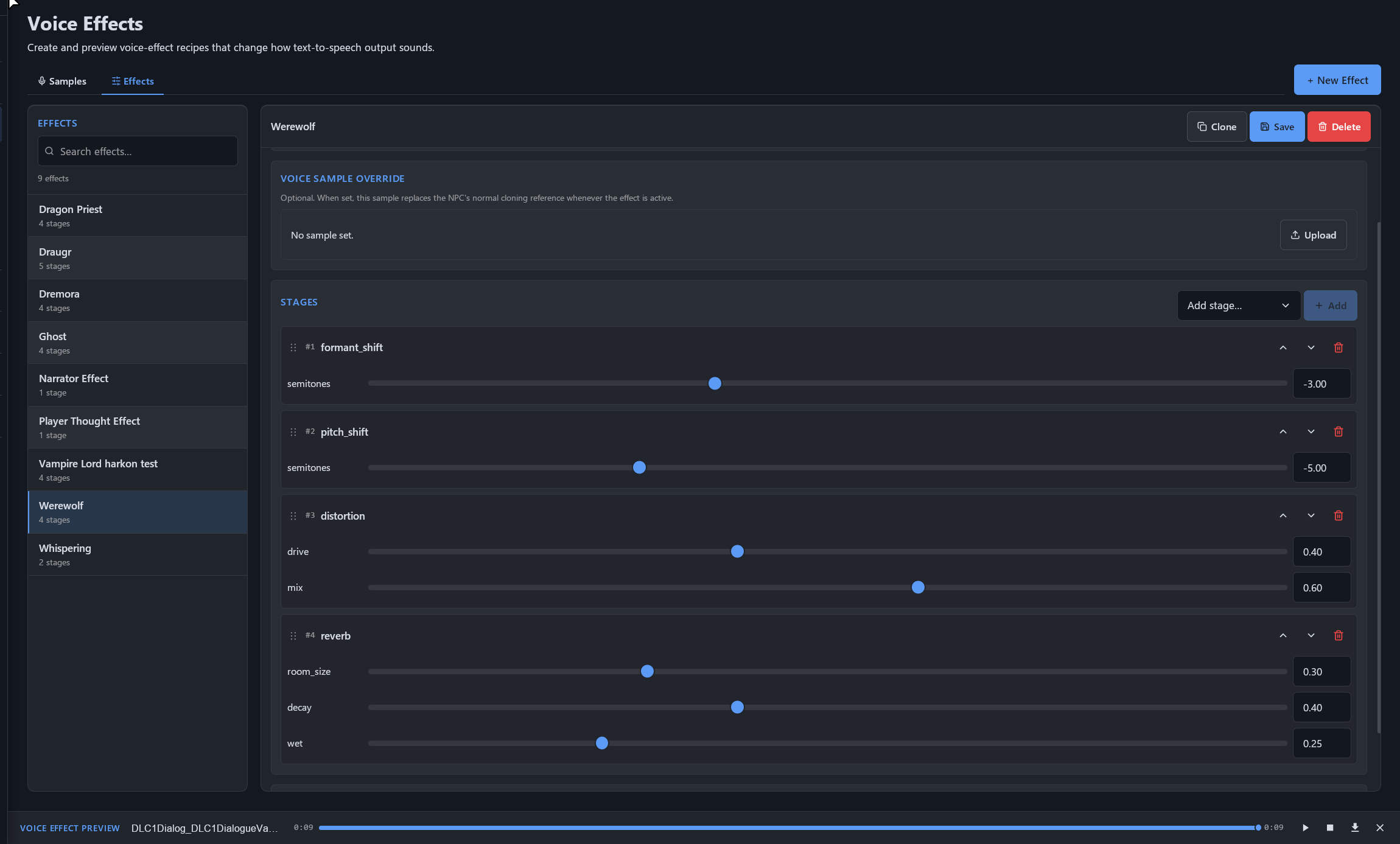
Voice Effects allow you to create reusable post-processing recipes that modify how text-to-speech output sounds. These effects can be applied dynamically to any NPC, allowing voices to instantly change during gameplay without generating new voice samples.
Features
- Create reusable voice-effect presets.
- Apply effects to any cloned or generated voice.
- Optionally override the NPC's voice sample while an effect is active.
- Preview effects directly from the editor.
- Effects can be assigned or removed dynamically during gameplay.
- Voice effect assignments are automatically saved in the SKSE co-save.
- Fully accessible through the Manage Data → Voice Effects page.
Available Effects
SkyrimNet supports a wide range of audio processing stages, including:
- Pitch Shift
- Formant Shift
- Speed
- Bitcrusher
- Distortion
- Reverb
- Chorus
- Tremolo
- Ring Modulation
- Echo
- Equalizer (EQ)
- Whisper
- Gain
Each effect exposes configurable parameters (sliders) that can be combined into complex processing chains.
Processing Pipeline
Each Voice Effect consists of an ordered list of stages.
- Stages execute from top to bottom.
- Multiple stages can be combined to create unique voice styles.
- Stages can be:
- Added
- Removed
- Reordered
- Expanded/collapsed
- Individually configured
Examples:
- Ghost voices
- Werewolves
- Vampires
- Daedra
- Narrators
- Radio/static effects
- Magical echoes
- Internal thoughts
Voice Sample Override
A Voice Effect may optionally include a Voice Sample Override.
When present:
- The selected voice sample replaces the NPC's normal cloning reference.
- All processing stages are then applied to the overridden sample.
This makes it possible to completely transform an NPC's voice while the effect is active. Very useful if having differently toned samples of the same voice, triggered by diferent conditions ( like angry sounding while in combat, in pain when in bleedout, crying, etc...)
Runtime Assignment
Voice Effects can be assigned dynamically from multiple systems:
- Character Pages
- Actor Tabs
- Trigger System
- Papyrus scripts
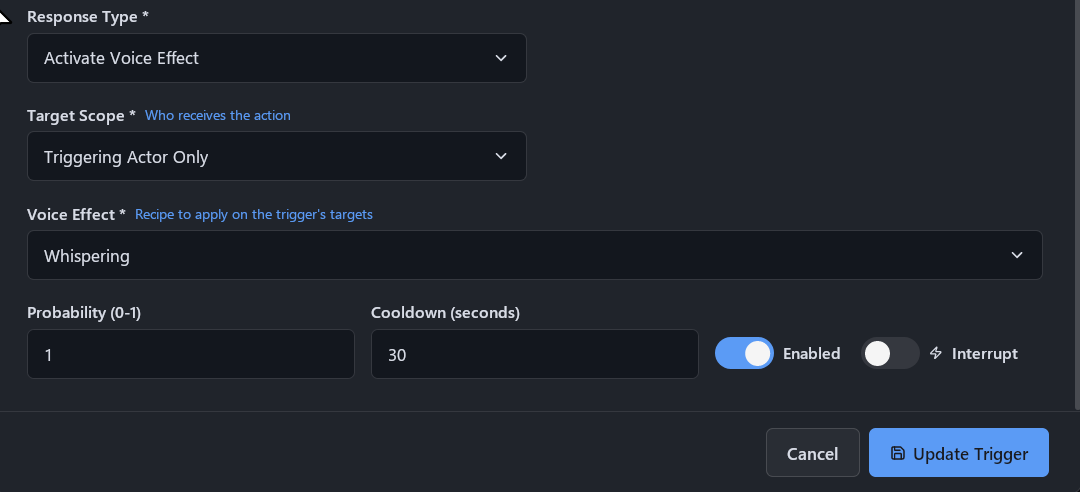
This allows voices to react to gameplay events such as:
- Becoming a vampire
- Transforming into a werewolf
- Wearing cursed artifacts
- Entering dream sequences
- Speaking through magical communication
- Temporary disguises
- Status effects
Papyrus API
Voice Effects can be managed entirely through Papyrus.
Available functions:
SetVoiceEffect()ClearVoiceEffect()GetVoiceEffect()SetVoiceEffectByUUID()ClearVoiceEffectByUUID()GetVoiceEffectByUUID()
This allows mods to dynamically enable or disable voice effects during gameplay.
Persistence
Voice Effect assignments are automatically persisted in the SKSE co-save, ensuring active effects remain after saving and loading the game.
Typical Use Cases
- Deep demon voices
- Ghostly whispers
- Dragon Priests
- Voice sample tones ( pain, joy, fear , etc)
- Daedra
- Vampire Lords
- Magical echoes
- Internal monologue
- Dream sequences
- Possession
- Illusions