Prisma Chat UI
PrismaUI In-Game Chat Overlay
The PrismaUI Chat Overlay is a complete redesign of SkyrimNet's text input system, replacing the previous dialogue, narration, thoughts, and emote interfaces with a single, modern in-game chat window rendered directly through PrismaUI. It allows players to interact with NPCs, manage conversation history, and control message behavior without ever leaving the game.
Unified Chat Interface
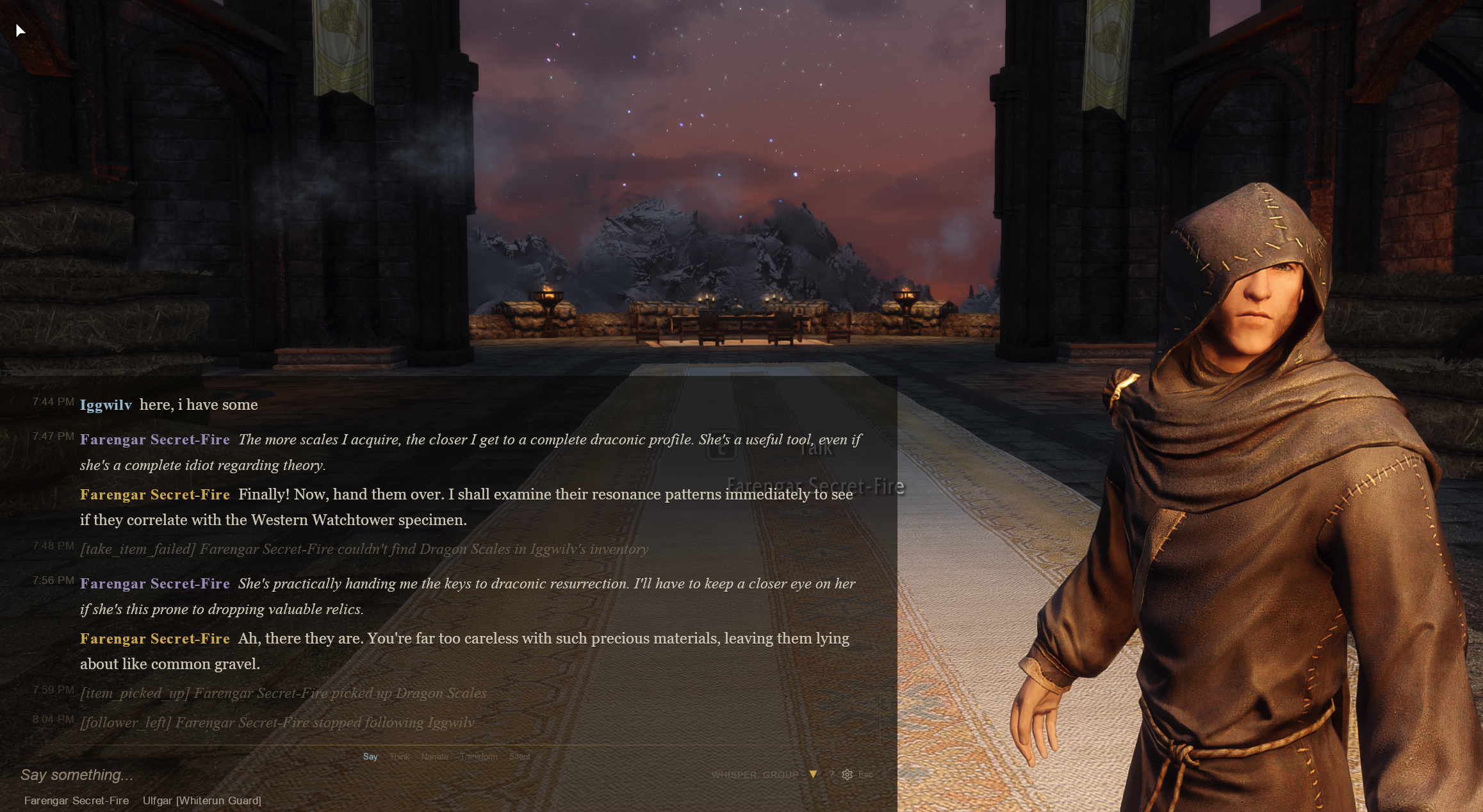
- Single hotkey opens the chat overlay.
- Replaces all legacy text input modes with one unified interface.
- Supports natural typing as well as dedicated interaction modes.
- Fully integrated into the game using PrismaUI.
Flexible Input Modes
Quickly switch how your message is interpreted using either prefixes, slash commands, or the on-screen mode buttons.
Supported modes include:
- Normal dialogue will be heard by everyone within perception range. Will be responsed by the one being adressed, the nearest npc , or anyone else present.
- Thoughts
- Actions / Emotes
- Narration a tool for the player to convey context ,npcs can and will respond to the input, that they consider factual ( ex: "a tree just fell" - Thane , did you hear that? )
- Silent events The npcs will take it as factual and not answer immediately to them. They are still aware of it and next outputs may be influenced by it, if relevant.
- Direct input
- Whisper a much reduced range of dialogue , 200 units by default ( about 3 meters). Meaning that only near-adjacent npcs will be perceiving it, and able to respond. Otherwise they cant "hear" or "see" it.
- Targeted speech (
@NPC) - Monologue (
@None) for logging events without NPC responses
Additional features:
- Tab-completion for NPC names when targeting.
- Empty submission in Thoughts or Transform mode automatically generates NPC responses, matching the behavior of short voice-input activation.
- Clickable mode buttons eliminate the need to memorize commands.
Event Management
Manage conversation history entirely in-game.
Features include:
- View previous events.
- Edit existing events.
- Delete events.
- Undo the most recent event (
Ctrl + Delete). - Edit your last message (
Ctrl + Up). - Browse previous inputs with the arrow keys.
- Diary entries appear as concise summaries within the chat history.
Audience & Whisper Controls
See exactly who will receive your message before sending it.
Features include:
- Live audience panel showing nearby listeners.
- Whisper toggle that automatically limits recipients to whisper range.
- Visual whisper indicator for quick status recognition.
Customizable Layout
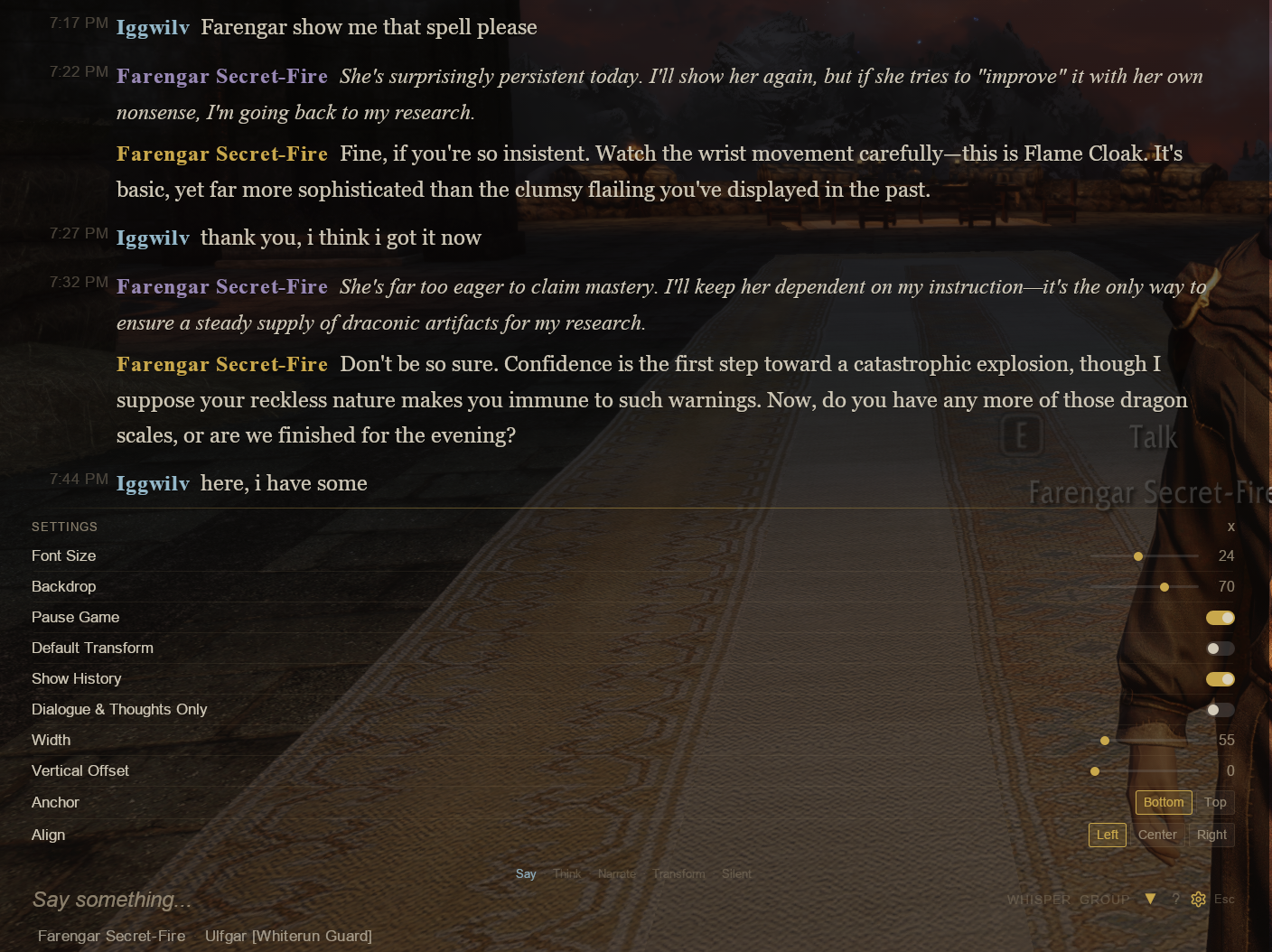
The overlay is highly configurable to suit different HUD layouts.
Available settings include:
- Top or bottom screen anchoring.
- Adjustable overlay width.
- Vertical screen offset.
- Left, center, or right alignment.
- Optional message history display.
- High-contrast text rendering with shadows for excellent readability over Skyrim's environments.
Chat Context Menu & Group Management
The chat overlay now includes powerful context menus and group management tools, making it easier to organize conversations with multiple NPCs directly from within the game.
Context Menu
Right-click any speaker name or audience member to access quick actions:
- Talk to or Whisper to an NPC.
- Pin or Unpin NPCs.
- Copy an NPC's name.
- Manage NPC group membership through the Groups submenu.
Pinned NPCs are highlighted in the audience panel, making active party members easy to identify.
NPC Groups
Create and manage conversation groups directly from the chat interface.
Features include:
- Add or remove NPCs from groups using the context menu.
- Groups submenu displays all available groups with checkmarks for quick editing.
- Immediate visual feedback when group membership changes.
Group Chat Mode
Group Chat Mode restricts conversations exclusively to members of your pinned NPC group, making party conversations much more natural.
Features include:
- Messages only target NPCs within the active group.
- NPC interjections and dialogue remain restricted to group members.
- Compatible with every input mode.
- Can be combined with Whisper mode (
&^or^&). - Dedicated GROUP toggle button in the chat interface for quick activation.
This feature provides a significant quality-of-life improvement for players adventuring with companions or larger parties.
Note: Group Chat Mode currently supports PrismaUI text input only. Voice input integration is planned for a future update.
/summon Command
Teleport NPCs directly to the player without leaving the game.
Features include:
/summon <name>slash command.- Teleports any NPC to the player's location.
- Tab completion cycles through pinned NPC names for fast selection.
- Works with both nearby NPCs and distant pinned group members.
Requirements
- PrismaUI 1.3 or newer is required to use the new chat interface.